Building Multi-Agent Teams: How gs-squad-mcp Transforms AI-Assisted Development
From context-switching chaos to coordinated expertise—how we built an MCP server that lets orchestrators spawn specialized AI agents that work together like real development teams.
The Juggling Act
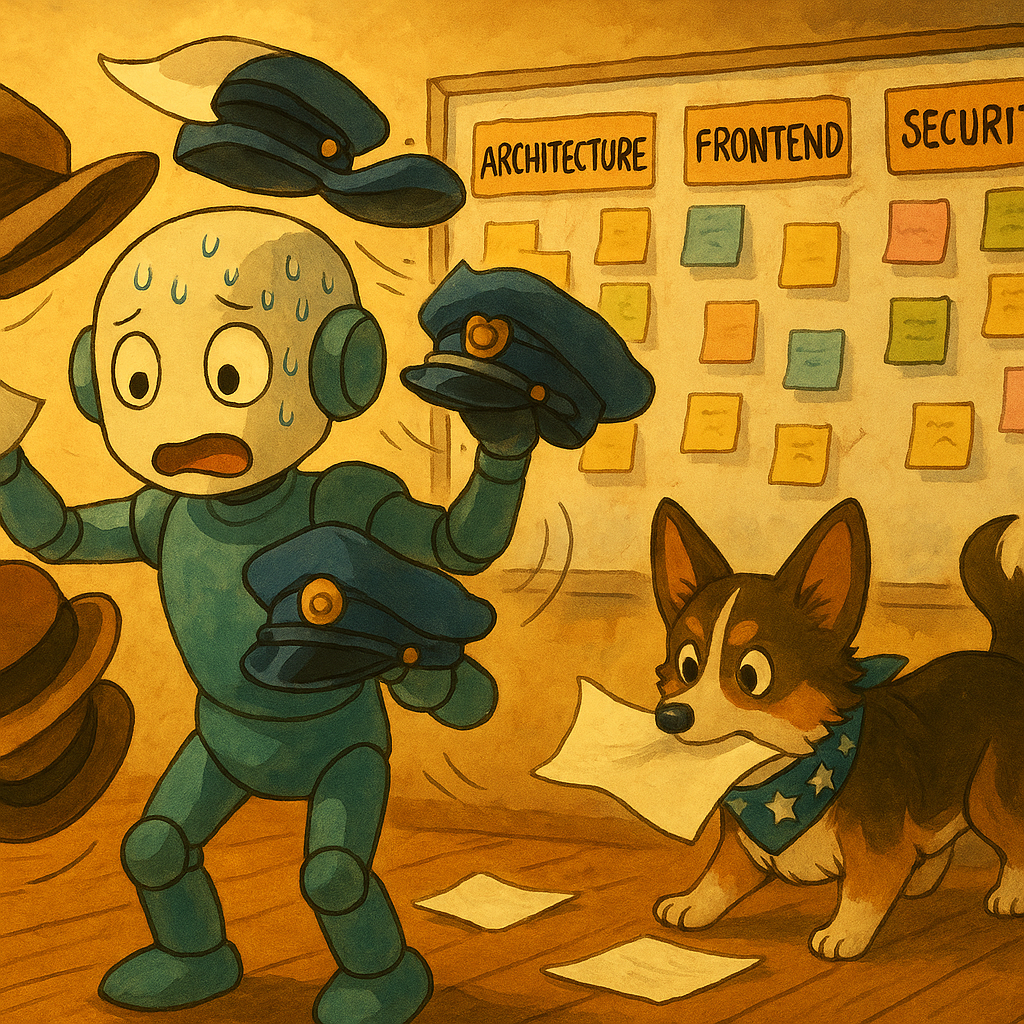
Picture this: you're building a feature that needs architecture, frontend, backend, security review, and testing. You fire up your AI assistant and start asking questions. First, you need the architecture designed. Then you switch to implementation. Then security review. Then testing. Each switch feels like putting on a different hat—and each time you change hats, you drop a few important details.
The AI agent is trying to be everything at once: architect, frontend developer, backend engineer, security auditor, and QA specialist. It's like asking one person to play every instrument in an orchestra simultaneously. They might be able to do it, but the performance suffers. The violinist forgets the melody when they switch to drums. The conductor loses track of the tempo when they pick up the flute.
This is the fundamental problem with single-agent AI assistance: context switching overhead. Real software development requires specialists—people who maintain deep focus in their domain. But we're asking one AI agent to be an expert at everything, and every domain switch costs mental context.
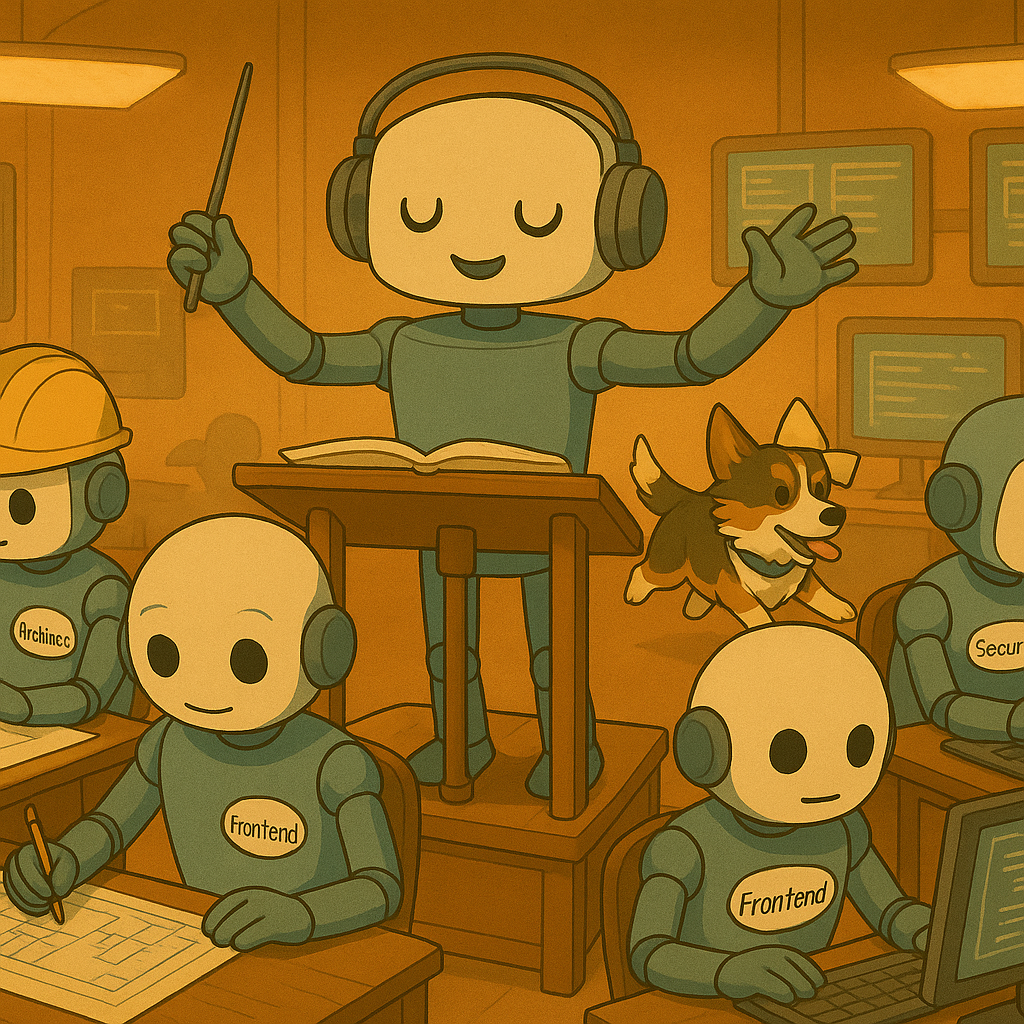
What if you could spawn specialized agents—a frontend developer, backend architect, security auditor, and QA specialist—that work in parallel, each maintaining deep focus in their domain? Like a real development team, but instant and automated.
That's the vision behind gs-squad-mcp: transforming single-agent AI assistance into coordinated multi-agent teams.
TL;DR
gs-squad-mcp is a Model Context Protocol (MCP) server that enables orchestrators to spawn role-specialized CLI agents. It eliminates context switching overhead and manual coordination in multi-agent workflows.
What it does: - Spawns multiple specialized agents in parallel or sequentially - Provides 33+ predefined roles with optimized prompts (zero prompt engineering required) - Supports multiple CLI agent engines (cursor-agent, Claude, Codex, or custom) via template system - Includes built-in SQLite telemetry and dashboard visualization - Works with any MCP-compatible orchestrator (Cursor, Claude Desktop, VS Code)
Key differentiator: Infrastructure, not orchestration. Orchestrators control workflow logic; gs-squad-mcp handles execution, state management, and result aggregation.
Key benefits: - ✅ Zero prompt engineering: 33+ battle-tested roles ready to use - ✅ Engine flexibility: Works with cursor-agent, Claude, Codex, or custom engines - ✅ Built-in observability: SQLite telemetry + TUI/HTML dashboard - ✅ Execution flexibility: Stateless/stateful, sequential/parallel modes - ✅ Standard integration: MCP protocol for IDE compatibility
The Evolution of AI Coding Assistants
The AI coding assistant landscape has evolved through three generations:
Generation 1: Single-Agent Assistants (GitHub Copilot, early ChatGPT) - One AI agent, context-switching between domains - Limited context management - Sequential execution
Generation 2: Enhanced Single-Agent Systems (Cursor Composer, Claude Code) - Better context management - Tool use and codebase awareness - Still single-agent, context switching overhead remains
Generation 3: Multi-Agent Coordination (Emerging—gs-squad-mcp, LangGraph, AutoGen) - Multiple specialized agents - Parallel execution - Coordination infrastructure
As AI coding assistants mature, the bottleneck shifts from individual agent capabilities to coordination infrastructure. The question isn't "Can an AI agent write code?"—it's "How do we coordinate multiple specialized agents to work together?"
The MCP Movement
The Model Context Protocol (MCP) represents a shift toward standardized AI tooling infrastructure. Before MCP, each AI application required custom integrations for every external tool or data source. MCP changes this by:
- Decoupling tools from applications: Tools become MCP servers that any MCP client can use
- Enabling ecosystem growth: Developers build MCP servers once, use them everywhere
- Reducing integration friction: Standard protocol eliminates custom integration code
The MCP ecosystem is growing rapidly: - IDE Integration: Cursor, VS Code extensions, Claude Desktop - Tool Servers: Database connectors, API clients, file system tools - Orchestration Servers: Multi-agent coordination (like gs-squad-mcp), workflow engines
The Infrastructure Gap
Most multi-agent solutions focus on orchestration logic (how agents coordinate) but lack infrastructure (how agents are spawned, how results are aggregated, how workflows are observed).
The gap:
- How do you spawn multiple CLI agents with role prompts?
- How do you aggregate results from multiple agents?
- How do you manage chat sessions across agents?
- How do you observe multi-agent workflows?
gs-squad-mcp fills this gap: Provides infrastructure layer that orchestrators need, without dictating orchestration patterns.
The Manual Alternative
Without gs-squad-mcp, coordinating multiple agents looks like this:
// Manual coordination nightmare
// 1. Manually start frontend developer agent conversation
// 2. Copy architecture decisions to backend architect conversation
// 3. Switch to security auditor conversation, lose context
// 4. Manually aggregate results from 5 different conversations
// 5. Hope nothing got lost in translation
This requires significant human intervention—switching contexts between different agent conversations, copying artifacts between agents, tracking progress across multiple sessions, and ensuring consistency.
Solution Overview: Infrastructure, Not Orchestration
gs-squad-mcp provides infrastructure, not orchestration—orchestrators control workflow logic, gs-squad-mcp handles execution.
What gs-squad-mcp Provides
Core capabilities:
- Agent Spawning: Spawn role-specialized CLI agents with optimized prompts
- Role Management: 33+ predefined roles covering development, architecture, QA, analysis, content
- Template System: Engine-agnostic command generation (cursor-agent, Claude, Codex, custom)
- State Management: Stateless and stateful execution modes
- Result Aggregation: Unified output collection from multiple agents
- Telemetry: Built-in SQLite database + TUI/HTML dashboard visualization
- MCP Integration: Standard protocol for IDE compatibility
What gs-squad-mcp Doesn't Provide
- ❌ Orchestration logic: Orchestrator decides workflow patterns
- ❌ Agent communication: Agents don't communicate directly
- ❌ Workflow definition: No built-in workflow engine
- ❌ Decision making: Orchestrator makes all decisions
The orchestrator (like Cursor Agent, Claude Desktop, or a custom LLM) uses gs-squad-mcp as infrastructure, then builds orchestration logic on top.
The gs-squad-mcp Way
Instead of manual coordination, one API call spawns multiple specialized agents:
{
  "method": "tools/call",
  "params": {
    "name": "start_squad_members",
    "arguments": {
      "members": [
        {
          "roleId": "systems-architect",
          "task": "Design OAuth2 authentication architecture",
          "cwd": "."
        },
        {
          "roleId": "backend-architect",
          "task": "Implement authentication API endpoints",
          "cwd": "server"
        },
        {
          "roleId": "frontend-developer",
          "task": "Build login UI components",
          "cwd": "client"
        },
        {
          "roleId": "security-auditor",
          "task": "Review authentication implementation for vulnerabilities",
          "cwd": "."
        }
      ]
    }
  }
}
One API call, parallel execution, unified results.
Each agent maintains deep focus in their domain. The architect designs, the frontend developer implements, the security auditor reviews—all simultaneously, without context loss.
Architecture Overview
gs-squad-mcp follows a layered, modular design with clear separation of concerns:
graph TB
    subgraph "MCP Client Layer"
        CLIENT[MCP Client<br/>IDE/Orchestrator<br/>Cursor, Claude Desktop, etc.]
    end

    subgraph "Transport Layer"
        MCP_CLI[McpCliCommand<br/>JSON-RPC stdio handler<br/>Protocol: MCP 2024-11-05]
    end

    subgraph "Core Business Logic"
        SQUAD_SVC[SquadService<br/>Orchestrator<br/>Coordinates execution]
        CONFIG[SquadConfigService<br/>Configuration Management]
        ROLE_REPO[RoleRepositoryService<br/>Role Management<br/>33+ Specialized Roles]
        PROMPT_BUILDER[PromptBuilderService<br/>Prompt Construction<br/>Stateless/Stateful]
        TEMPLATE_RENDERER[TemplateRendererService<br/>EJS Template Rendering]
        PROCESS_RUNNER[ProcessRunnerService<br/>Process Execution<br/>Timeout Handling]
        TELEMETRY[SquadTelemetryService<br/>Observability<br/>SQLite Persistence]
    end

    subgraph "Infrastructure Layer"
        APP_MODULE[AppModule<br/>NestJS Dependency Injection]
        DB_MODULE[DbModule<br/>TypeORM + SQLite<br/>Auto-sync Schema]
        ENTITIES[Entities<br/>SessionEntity<br/>SquadEntity<br/>AgentEntity]
    end

    subgraph "External Systems"
        CLI_AGENTS[CLI Agents<br/>cursor-agent<br/>claude<br/>codex<br/>Any stdio-compatible]
        FILESYSTEM[File System<br/>agents/*.md<br/>templates/*.template]
    end

    CLIENT -->|JSON-RPC 2.0<br/>over stdio| MCP_CLI
    MCP_CLI --> SQUAD_SVC
    SQUAD_SVC --> CONFIG
    SQUAD_SVC --> ROLE_REPO
    SQUAD_SVC --> PROMPT_BUILDER
    SQUAD_SVC --> TEMPLATE_RENDERER
    SQUAD_SVC --> PROCESS_RUNNER
    SQUAD_SVC --> TELEMETRY
    ROLE_REPO -->|Read| FILESYSTEM
    TEMPLATE_RENDERER -->|Read| FILESYSTEM
    PROCESS_RUNNER -->|Spawn| CLI_AGENTS
    TELEMETRY --> DB_MODULE
    DB_MODULE --> ENTITIES
    APP_MODULE --> SQUAD_SVC
    APP_MODULE --> CONFIG
    APP_MODULE --> ROLE_REPO
    APP_MODULE --> PROMPT_BUILDER
    APP_MODULE --> TEMPLATE_RENDERER
    APP_MODULE --> PROCESS_RUNNER
    APP_MODULE --> TELEMETRY

    style CLIENT fill:#74c0fc
    style MCP_CLI fill:#ffd43b
    style SQUAD_SVC fill:#69db7c
    style TELEMETRY fill:#ff8787
    style DB_MODULE fill:#ff8787
    style CLI_AGENTS fill:#ffa94d
Architectural Principles
- Framework-Agnostic Core: Core logic independent of NestJS (enables future HTTP/SSE transport)
- Separation of Concerns: Transport → Core → Infrastructure layers
- Template-Driven Execution: Flexible template system for multiple CLI engines
- Telemetry-First: Built-in SQLite database tracks all squad runs
- Orchestrator-Agnostic: Provides infrastructure, not orchestration logic
Key Components
SquadService (Orchestrator)
- Coordinates multi-agent execution
- Manages stateless vs stateful modes
- Handles sequential/parallel execution
- Exposes MCP tool interfaces
RoleRepositoryService
- Loads and caches role definitions from markdown files
- 33+ predefined roles with optimized prompts
- Lazy loading with in-memory cache
TemplateRendererService
- Renders EJS templates to generate CLI commands
- Engine-agnostic (cursor-agent, Claude, Codex, custom)
- Context variables:
prompt,chatId,cwd,roleId,task
ProcessRunnerService
- Executes CLI commands with timeout handling
- Captures stdout/stderr streams
- Handles process lifecycle (spawn → collect → timeout)
SquadTelemetryService
- Persists squad runs to SQLite
- Tracks sessions, squads, and agents
- Enables dashboard visualization
Execution Flow
sequenceDiagram
    participant CLIENT as MCP Client<br/>(Orchestrator)
    participant MCP as MCP Server<br/>(McpCliCommand)
    participant SQUAD as SquadService<br/>(Orchestrator)
    participant CONFIG as ConfigService
    participant ROLES as RoleRepository
    participant PROMPT as PromptBuilder
    participant TEMPLATE as TemplateRenderer
    participant PROCESS as ProcessRunner
    participant TELEMETRY as TelemetryService
    participant DB as SQLite Database
    participant AGENT as CLI Agent<br/>(cursor-agent/claude/codex)

    CLIENT->>MCP: JSON-RPC: tools/call<br/>(start_squad_members)
    MCP->>SQUAD: startSquadMembersStateless/Stateful()

    Note over SQUAD,TELEMETRY: Session & Squad Setup
    SQUAD->>TELEMETRY: ensureSession(orchestratorChatId, workspaceId)
    TELEMETRY->>DB: Query/Create SessionEntity
    DB-->>TELEMETRY: originatorId
    TELEMETRY-->>SQUAD: originatorId

    SQUAD->>TELEMETRY: createSquad(originatorId, telemetry)
    TELEMETRY->>DB: Create SquadEntity
    DB-->>TELEMETRY: squadId, workflowInstanceId
    TELEMETRY-->>SQUAD: squadId, workflowInstanceId

    SQUAD->>CONFIG: getConfig()
    CONFIG-->>SQUAD: config (engine, mode, templates)

    loop For each member
        Note over SQUAD,AGENT: Member Execution
        SQUAD->>ROLES: getRoleById(roleId)
        ROLES->>ROLES: Load from cache/filesystem
        ROLES-->>SQUAD: IRoleDefinition

        SQUAD->>PROMPT: buildPrompt(role, task, mode)
        PROMPT-->>SQUAD: Combined prompt string

        SQUAD->>TELEMETRY: createAgent(squadId, roleName, task)
        TELEMETRY->>DB: Create AgentEntity (status: 'starting')
        DB-->>TELEMETRY: agentId
        TELEMETRY-->>SQUAD: agentId

        alt Stateful Mode + New Chat
            SQUAD->>TEMPLATE: render(createChatTemplate, context)
            TEMPLATE-->>SQUAD: createChatCommand
            SQUAD->>PROCESS: runProcess(createChatCommand)
            PROCESS->>AGENT: spawn(child_process)
            AGENT-->>PROCESS: stdout: chatId
            PROCESS-->>SQUAD: chatId
        end

        SQUAD->>TEMPLATE: render(runTemplate, {prompt, chatId, cwd})
        TEMPLATE-->>SQUAD: Rendered CLI command

        SQUAD->>TELEMETRY: updateAgentStatus(agentId, 'running')
        SQUAD->>PROCESS: runProcess(command, cwd, timeout)
        PROCESS->>AGENT: spawn('sh', ['-c', command])
        Note over AGENT: Execute task with role prompt
        AGENT-->>PROCESS: stdout, stderr, exitCode
        PROCESS-->>SQUAD: IProcessResult

        SQUAD->>TELEMETRY: updateAgentStatus(agentId, 'done', result)
        TELEMETRY->>DB: Update AgentEntity
    end

    SQUAD-->>MCP: SquadResponse {squadId, members[]}
    MCP-->>CLIENT: JSON-RPC response
Template System
The template system enables flexible command generation for different CLI agent engines. Templates use EJS (Embedded JavaScript) syntax:
# Example: cursor-agent template
cursor-agent --approve-mcps --force --browser --model=composer-1 --print<% if (typeof chatId !== undefined && chatId) { %> --resume <%= chatId %><% } %> agent "<%= prompt %>"
Why templates? Engine-agnostic command generation without code changes. Switch engines via configuration, or add new engines by creating templates.
Implementation Details
MCP Protocol Integration
gs-squad-mcp implements the Model Context Protocol (MCP) specification:
- Protocol: JSON-RPC 2.0 over stdio
- Communication: Line-delimited JSON messages
- Tools:
list_roles,start_squad_members,complete_squad_run
The MCP protocol enables seamless integration with any MCP-compatible orchestrator, including Cursor, Claude Desktop, VS Code, and custom orchestrators.
Stateless vs Stateful Modes
gs-squad-mcp supports two execution modes:
Stateless Mode
- No chat session management
- Every execution injects full role prompt + task
- Simpler execution flow
- Use case: One-off tasks, independent executions
Prompt structure: ```
Role
{role.body}
Task
{task}
Setup & Reporting Rules
... ```
Stateful Mode
- Chat session management via
chatId - New chat: Injects role prompt + initial task
- Existing chat: Injects task only (role already in context)
- Use case: Conversational workflows, multi-step tasks
New chat prompt: ```
Role
{role.body}
Initial Task
{task}
Setup & Reporting Rules
... ```
Existing chat prompt: ```
Task
{task}
Setup & Reporting Rules
... ```
The orchestrator manages chatId lifecycle—reusing chatId values returned by previous calls to maintain conversation context.
Sequential vs Parallel Execution
- Sequential: Agents run one after another (cursor-agent default)
- Parallel: Agents run simultaneously (Claude/Codex default)
- Configuration:
EXECUTION_MODEenvironment variable or--execution-modeflag
Sequential execution is useful when agents need to build on each other's work. Parallel execution maximizes throughput for independent tasks.
Prompt Escaping
Security consideration: Prompts must be shell-escaped to prevent injection attacks.
function escapePromptForShell(prompt: string): string {
  return prompt
    .replace(/\\/g, '\\\\')  // Escape backslashes first
    .replace(/\$/g, '\\$')    // Escape dollar signs
    .replace(/`/g, '\\`')     // Escape backticks
    .replace(/"/g, '\\"')     // Escape double quotes
    .replace(/\n/g, '\\n')   // Convert newlines to literal \n
    .replace(/\r/g, '');     // Remove carriage returns
}
This ensures prompts are safely passed as shell arguments, preventing command injection vulnerabilities.

Real-World Usage
Use Case 1: Feature Development (OAuth2 Authentication)
Scenario: Building complete authentication system with architecture, implementation, security review, and testing.
Without gs-squad-mcp: Manual context switching, lost architectural decisions, manual coordination.
With gs-squad-mcp: Parallel execution of 5 specialized agents, coordinated results, no context loss.
{
  "method": "tools/call",
  "params": {
    "name": "start_squad_members",
    "arguments": {
      "members": [
        {
          "roleId": "systems-architect",
          "task": "Design OAuth2 authentication architecture. Consider PKCE flow, token refresh, and rate limiting.",
          "cwd": "."
        },
        {
          "roleId": "backend-architect",
          "task": "Implement authentication API endpoints based on OAuth2 architecture. Read any architecture docs in docs/.",
          "cwd": "server"
        },
        {
          "roleId": "frontend-developer",
          "task": "Build login UI components with OAuth2 provider buttons. Read API spec from server/docs/.",
          "cwd": "client"
        },
        {
          "roleId": "security-auditor",
          "task": "Review authentication implementation for vulnerabilities. Check for common OAuth2 security issues.",
          "cwd": "."
        },
        {
          "roleId": "qa-specialist",
          "task": "Design test plan for authentication flow. Include unit tests, integration tests, and security tests.",
          "cwd": "."
        }
      ],
      "orchestratorChatId": "auth-feature-123",
      "workspaceId": "/path/to/workspace"
    }
  }
}
Results: - Parallel execution reduces time - Specialized expertise improves quality - No manual coordination overhead - Architecture decisions inform implementation - Security review happens alongside development
Use Case 2: Legacy System Modernization (BMAD Method)
Scenario: Phased workflow (Analysis → Planning → Implementation) for modernizing legacy monolith.
BMAD Method: Structured workflow with phase tracking, workflow instance IDs, telemetry context.
Phase 1: Analysisjson { "method": "tools/call", "params": { "name": "start_squad_members", "arguments": { "orchestratorChatId": "legacy-modernization", "workspaceId": "/path/to/workspace", "telemetry": { "workflowName": "legacy-modernization-v1", "phase": "Analysis", "track": "BMAD Method", "roundIndex": 1, "missionSummaryMd": "Modernizing legacy monolith to microservices architecture.", "roundSummaryMd": "Analyzing current architecture and identifying migration opportunities." }, "members": [ { "roleId": "legacy-maintainer", "task": "Analyze legacy codebase structure. Document current architecture, dependencies, and pain points. Write findings to docs/legacy-modernization-v1/analysis.md", "cwd": "." }, { "roleId": "top-down-analyzer", "task": "Identify architectural patterns and boundaries. Document service boundaries and integration points. Write to docs/legacy-modernization-v1/architecture-patterns.md", "cwd": "." }, { "roleId": "bottom-up-analyzer", "task": "Assess code complexity and technical debt. Identify refactoring opportunities. Write to docs/legacy-modernization-v1/complexity-analysis.md", "cwd": "." } ] } } }
Phase 2: Planningjson { "method": "tools/call", "params": { "name": "start_squad_members", "arguments": { "orchestratorChatId": "legacy-modernization", "workspaceId": "/path/to/workspace", "telemetry": { "workflowInstanceId": "workflow-4567890123-def", "workflowName": "legacy-modernization-v1", "phase": "Planning", "track": "BMAD Method", "roundIndex": 1, "missionSummaryMd": "Modernizing legacy monolith to microservices architecture.", "roundSummaryMd": "Designing microservices architecture and migration plan based on analysis findings." }, "members": [ { "roleId": "systems-architect", "task": "Design microservices architecture. Read docs/legacy-modernization-v1/analysis.md, architecture-patterns.md, and complexity-analysis.md. Create architecture document at docs/legacy-modernization-v1/architecture.md", "cwd": "." }, { "roleId": "project-manager", "task": "Create migration plan with phases and milestones. Read architecture.md. Create plan at docs/legacy-modernization-v1/migration-plan.md", "cwd": "." } ] } } }
Phase 3: Implementationjson { "method": "tools/call", "params": { "name": "start_squad_members", "arguments": { "orchestratorChatId": "legacy-modernization", "workspaceId": "/path/to/workspace", "telemetry": { "workflowInstanceId": "workflow-4567890123-def", "workflowName": "legacy-modernization-v1", "phase": "Implementation", "track": "BMAD Method", "roundIndex": 1, "missionSummaryMd": "Modernizing legacy monolith to microservices architecture.", "roundSummaryMd": "Implementing first microservice based on architecture design." }, "members": [ { "roleId": "backend-architect", "task": "Implement first microservice. Read docs/legacy-modernization-v1/architecture.md and migration-plan.md. Implement in services/user-service/", "cwd": "services/user-service" }, { "roleId": "unit-test-expert", "task": "Write comprehensive tests for new microservice. Read implementation in services/user-service/. Write tests in services/user-service/tests/", "cwd": "services/user-service" } ] } } }
Complete Squad Run:json { "method": "tools/call", "params": { "name": "complete_squad_run", "arguments": { "workflowInstanceId": "workflow-4567890123-def", "squadLeaderSummaryMd": "## Summary\n\nSuccessfully modernized legacy monolith to microservices architecture. Key accomplishments:\n\n- Analyzed legacy codebase structure and identified service boundaries\n- Designed microservices architecture with clear separation of concerns\n- Implemented first microservice (user-service) with comprehensive tests\n- Created detailed migration plan for remaining services\n\n### Key Decisions\n- Chose event-driven architecture for service communication\n- Implemented API gateway pattern for external access\n- Added comprehensive monitoring and logging\n\n### Next Steps\n- Implement remaining microservices\n- Set up CI/CD pipelines\n- Plan database migration strategy" } } }
Results: - Structured workflow with clear phases - Context preservation across phases - Telemetry tracking shows progress - Specialized analysis from different perspectives
Use Case 3: Security Audit
Scenario: Coordinated security analysis with multiple specialized perspectives.
{
  "method": "tools/call",
  "params": {
    "name": "start_squad_members",
    "arguments": {
      "members": [
        {
          "roleId": "security-auditor",
          "task": "Audit authentication endpoints for vulnerabilities. Check for OWASP Top 10 issues, injection attacks, and authentication bypasses.",
          "cwd": "server"
        },
        {
          "roleId": "code-reviewer",
          "task": "Review code quality and security best practices. Check for common security anti-patterns and code smells.",
          "cwd": "server"
        },
        {
          "roleId": "systems-architect",
          "task": "Design security improvements based on audit findings. Create security enhancement plan.",
          "cwd": "."
        }
      ]
    }
  }
}Results: Parallel security analysis, coordinated remediation planning.
Use Case 4: Documentation Generation
Scenario: Technical documentation + user guides created simultaneously.
{
  "method": "tools/call",
  "params": {
    "name": "start_squad_members",
    "arguments": {
      "members": [
        {
          "roleId": "backend-architect",
          "task": "Analyze API endpoints and generate OpenAPI spec. Write to docs/api/openapi.yaml",
          "cwd": "server"
        },
        {
          "roleId": "technical-documentation-writer",
          "task": "Write API reference documentation. Read openapi.yaml. Write to docs/api/reference.md",
          "cwd": "docs"
        },
        {
          "roleId": "content-writer",
          "task": "Create user guide for API integration. Read openapi.yaml. Write to docs/api/user-guide.md",
          "cwd": "docs"
        }
      ]
    }
  }
}Results: Parallel documentation creation, consistent technical context.
Dashboard Visualization
gs-squad-mcp includes built-in telemetry and dashboard visualization:
TUI Dashboard: Terminal-based visualization with interactive mode - Real-time status updates - Workflow instance tracking - Agent execution history
HTML Export: Print-ready dashboard matching VS Code styling - Exportable HTML reports - Dark/light theme support - Complete workflow visualization
The dashboard shows how agents collaborate, tracks progress through phases, and provides historical context for decision-making.
Limitations & Future Work
Current Limitations
- Single Process: All squad members run in same Node.js process
- Sequential Database Writes: TypeORM operations are synchronous
- Memory: Role cache and telemetry data in memory
- Concurrency: Parallel execution limited by system resources
Future Enhancements
- HTTP/SSE Transport: Enable distributed execution
- Streaming Results: Real-time updates instead of waiting for completion
- Resource Pooling: Limit concurrent agent executions
- Advanced Telemetry: Metrics, tracing, performance analytics
- Multi-Region Support: Distribute squad execution across regions
Extension Points
- Custom Engines: Add new engines by creating templates
- Custom Roles: Add roles by creating markdown files
- Custom Telemetry: Extend
SquadTelemetryServicefor custom persistence - Custom Templates: Override templates via environment variables
Closing Thoughts
The Bigger Picture
gs-squad-mcp represents a shift from single-agent AI assistance to coordinated multi-agent teams. As AI coding assistants mature, the bottleneck shifts from individual agent capabilities to coordination infrastructure.
We're moving from "Can an AI agent write code?" to "How do we coordinate multiple specialized agents to work together?" This is the next frontier in AI-assisted development.
Why It Matters Now
- MCP Ecosystem: Standard protocol enables tool ecosystem growth
- Multi-Agent Trend: Industry moving toward multi-agent coordination
- Infrastructure Gap: Most solutions focus on orchestration, not infrastructure
- Production Need: Real teams need production-ready multi-agent infrastructure
The Opportunity
gs-squad-mcp positions itself at the intersection of: - MCP Standard: Leveraging growing MCP ecosystem - Multi-Agent Trend: Enabling multi-agent coordination - Infrastructure Gap: Providing missing infrastructure layer - Production Readiness: Designed for real development workflows
Call to Action
- Try it: Open-source, ready to use
- Contribute: Add roles, engines, features
- Integrate: Works with any MCP-compatible orchestrator
- Build: Use gs-squad-mcp as infrastructure for your orchestrator
Final Thought
What if every developer could instantly spawn a team of specialized AI agents, each maintaining deep focus in their domain? That's the vision behind gs-squad-mcp—transforming single-agent AI assistance into coordinated multi-agent teams, eliminating context switching overhead and manual coordination while providing deep domain expertise and built-in observability.
The future of AI-assisted development isn't one super-agent that does everything. It's a team of specialized agents working together, each maintaining their expertise, coordinated by infrastructure that handles the complexity of execution, state management, and observability.
That future is here.
References
Links
- GitHub Repository: gs-squad-mcp
- MCP Protocol: Model Context Protocol Specification
- Documentation: gs-squad-mcp Documentation
- Dashboard Package: @growthspace-engineering/gs-squad-dashboard
Related Reading
- Model Context Protocol specification
- Multi-agent orchestration patterns
- BMAD Method documentation
Code Examples Location
- Full code examples in GitHub repository
- Template examples in
templates/directory - Role definitions in
agents/director